Video to MIDI: isolate a short melody before you judge the conversion
Video to MIDI is only useful when the audio inside the video has one clear line to follow. Start with a short clip, convert it locally, then verify the MIDI against the melody you meant to capture.
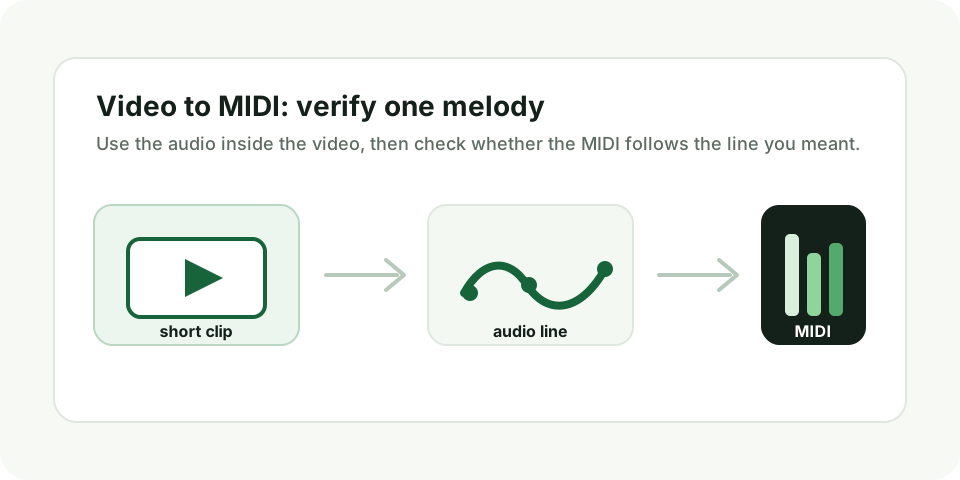
Use this three-step test
- Pick a 5-15 second video where one melody is stronger than every other sound.
- Run the clip through the converter and download the MIDI file after the note list appears.
- Open the .mid file and compare the contour with the video: rising notes should rise, repeated notes should repeat, and pauses should stay clear.
The important word is one. A phone video of a hummed hook, a whistle, a flute phrase, a dry synth lead, or a single-note guitar riff gives the converter a fair target. A music video chorus gives it too many targets at once.
That is why the first screen answer is not "upload any video." The fair workflow is to choose the section before you judge the result. If the input has one obvious line, the MIDI has something specific to follow. If the input is a full mix, you will not know whether a messy output is a tool problem or an unfair test.
What kind of video should I use?
Use a short clip where one voice, whistle, synth lead, flute phrase, or guitar line is clearly exposed. Avoid full songs, dialogue over music, applause, drums, and layered soundtrack moments.
| Video source | Good test? | What to expect |
|---|---|---|
| One person humming a hook into a phone | Yes | The melody line is exposed and easy to verify |
| Solo instrument close to the camera microphone | Yes | The strongest pitch is likely the intended note |
| Tutorial clip with speech over a backing track | No | Speech and music compete, so the MIDI may chase the wrong pitch |
| Full song, dance clip, or music video chorus | No | Drums, bass, chords, vocals, and effects overlap |
| Quiet melody between noisy moments | Maybe | Trim tightly and judge only that exposed phrase |
How do I know whether a video to MIDI result worked?
It worked if the MIDI file opens, is not empty, and follows the same single melody you heard in the video. Judge the rise, fall, repeated notes, and pauses before you judge every exact pitch.
This is the part most video converter pages skip. A download button is not proof that the conversion succeeded. Open the MIDI in a piano-roll editor, play the same short moment from the video, and compare the shape. If the video melody climbs for three notes and then drops, the MIDI should show a similar climb and drop. If the video has two repeated notes, the MIDI should not turn them into a random run.
Small pitch errors can still be useful if the contour is right. A melody sketch that needs two corrected notes is very different from a file full of unrelated notes. Keep the first one, edit it, and move on. For the second one, choose a cleaner clip instead of trying to rescue the output.
What a noisy result means
A noisy result usually means the video audio had competing pitches. The detector may have followed a bass note, room resonance, chord tone, or background instrument because it was stronger than the melody. That does not mean the video container failed; it means the audio inside the video was not a clean monophonic test.
Before you retry, listen to the exact second where the MIDI goes wrong. If another sound is louder there, trim a different moment. If the line is buried under drums or chords, record a new short version with only the melody. If the melody is clean but very quiet, normalize or re-record closer to the source.
Keep the boundary clear
Video to MIDI here means estimating one dominant melody from the audio track. It does not transcribe speech, separate a soundtrack into stems, detect every chord, or create a multi-track arrangement.
This boundary is the reason the page focuses on input choice and result checking. The product is built for single-line melody tests. It can help you turn a clean phrase into an editable MIDI sketch, but it should not be judged as a full video soundtrack transcription system.
Before you download the MIDI
Say out loud what line you expect the MIDI to follow: "the whistle in the first five seconds," "the synth lead after the count-in," or "the sung hook before the drums enter." If you cannot name one line, the result will be hard to evaluate.
For the cleanest test, record a new short clip instead of using a finished video. A simple phone recording of one melody is enough. Convert that first, confirm that the MIDI follows the contour, and only then test messier clips.