MIDI vs WAV: notes to edit, audio to deliver
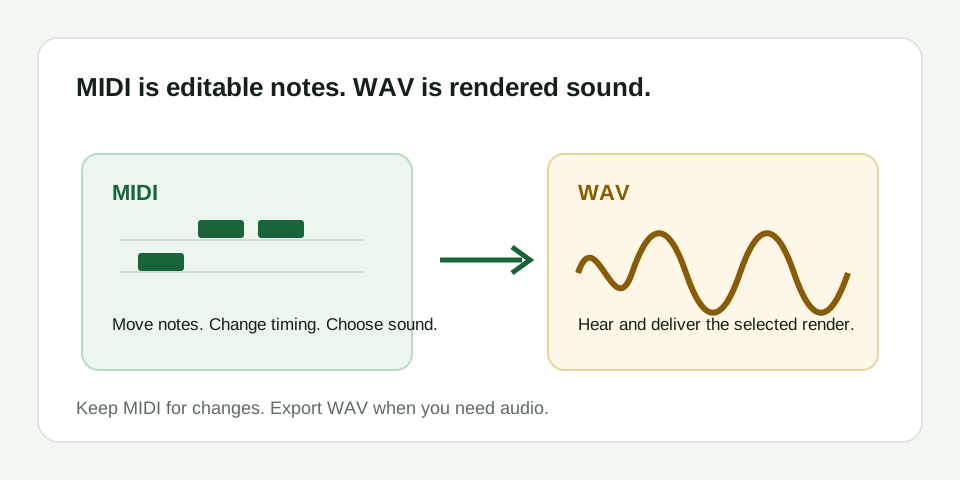
MIDI is a set of instructions such as note pitch, start, length, and velocity. WAV is recorded or rendered audio. Use MIDI when you need to edit the melody; use WAV when you need to hear or deliver a selected sound.
What MIDI contains
A Standard MIDI file can describe notes, their timing, duration, velocity, and some performance controls. It does not contain the singer's voice, a guitar's tone, room ambience, a mix, or mastering. That is why opening a MIDI file may require assigning an instrument before you hear anything.
For an audio-to-MIDI workflow, the MIDI is the editable sketch. Check whether it rises, repeats, and pauses like the source, then repair only the note events you can justify from the original phrase.
What WAV contains
WAV is audio data. It preserves the sound that was recorded or rendered: the selected instrument, effects, timing, and mix at that moment. It is useful for listening, sharing, video work, and audio delivery, but it does not let you move one wrong note as directly as a MIDI piano roll.
Choose the file by the next task
| Next task | Keep or use | Why |
|---|---|---|
| Correct pitch or timing | MIDI | Notes can be moved, shortened, deleted, or reassigned |
| Choose a piano, synth, or other sound | MIDI in a DAW | The instrument turns note events into playback audio |
| Send a playable audio version | WAV | The chosen sound and render are captured as audio |
| Return to a questionable conversion | Source audio plus MIDI | The audio remains the reference; MIDI remains editable |
Do not confuse format conversion with transcription
Converting audio to MIDI estimates a melody from a recording. Converting MIDI to WAV renders notes through an instrument. They are opposite directions and solve different problems. MIDI Convert handles the first job for one dominant melody; it does not create full-song stems, chord recognition, or a multi-track arrangement.