MP3 to sheet music: verify the file before editing
Use a short MP3 where one melody is easy to name. MIDI Convert creates a local MIDI sketch and a five-line sheet music preview from the detected note events. Treat the preview as usable only when the MP3 and the visible sequence agree at four fixed points.
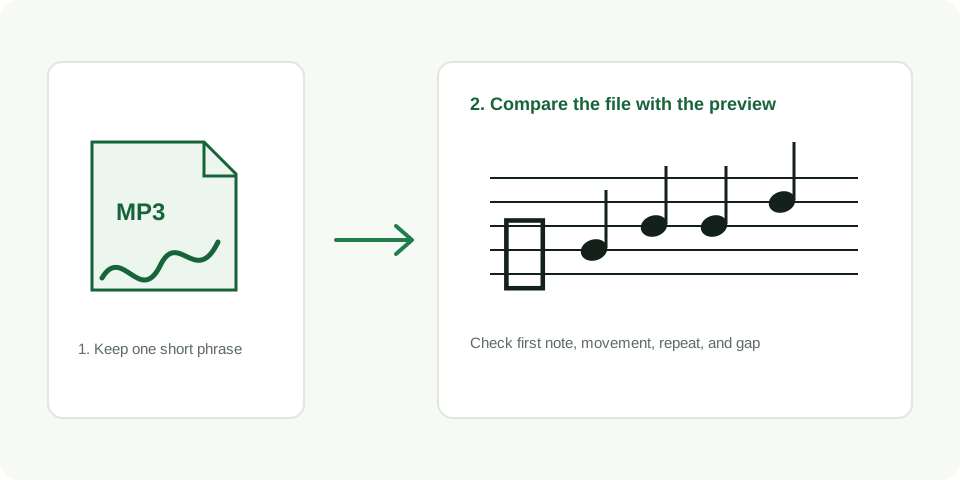
Convert a clear MP3 and inspect the preview
Start with an MP3 you can audit
MP3 compression is not the first thing to judge. The practical question is whether you can name one melody before conversion. Listen to the chosen excerpt and write a simple description of its shape. For example: “the line begins low, rises, repeats the top note, then pauses.” That description gives you a concrete test for the preview.
- Use one short excerpt. Five to fifteen seconds keeps the source easy to replay and compare.
- Keep the entry clean. Select a point where the intended melody begins clearly instead of under a competing hit.
- Convert the unchanged MP3. The browser creates the MIDI event list and its five-line preview from the same detected sequence.
- Inspect before editing. Do not repair individual notes until the broad visual shape follows the original file.
Run the MP3 four-point check
| Point | What the MP3 tells you | What the preview should show |
|---|---|---|
| First note | Where the selected melody begins | The first visible note appears at that entrance |
| Main movement | One obvious upward or downward change | The notes move in the same direction |
| Repeat | A tone that occurs again at the same pitch | The repeat stays at the same visual height |
| Pause | Intentional silence between notes | A visible gap separates the events |
Why the MP3 file remains part of the work
The preview is not independent notation extracted from somewhere else. It is a drawing of the events detected from this MP3. That makes the MP3 your evidence when a note looks uncertain. Replay the exact moment before changing pitch, timing, or removing a gap.
Use the MIDI download for editable notes. Use the SVG download as a compact visual reference. Keeping all three items together, source MP3, MIDI sketch, and preview, makes a later correction traceable instead of relying on memory.
A controlled MP3 check you can repeat
The known MP3 fixture is 5.85 seconds long and contains eight designed tones. In the recorded browser run, it created eight detected note events. That lets you check that this clean file produces eight visible events in order. It does not predict a result for a different MP3 or serve as a general accuracy claim.
For an MP3 of your own, repeat the same file before swapping sources. If both runs preserve the four reference points, you have a stable sketch to edit. If they follow another sound, choose a shorter excerpt with a clearer line rather than forcing changes into an unrelated sequence.
When the sheet preview is not ready
| What you see | What to change in the MP3 |
|---|---|
| The notes follow a different phrase | Cut to a section where the intended melody is more exposed |
| A single moment jumps unpredictably | Trim competing sound before that point and retry |
| The preview has no events | Choose a louder phrase with a clearer sustained pitch |
| The order works but timing is loose | Keep the MIDI sketch and make timing edits only after replaying the source |
Questions about MP3 to sheet music
Does the page upload my MP3?
No. MIDI Convert processes the selected file locally in the browser.
Can I edit the five-line SVG file?
The SVG is a visual reference. Edit note events in the downloaded MIDI file, then keep the MP3 beside it to check uncertain moments.
What if the output does not match the MP3?
Use a shorter excerpt with one clearer melody and repeat the four-point check before editing the MIDI.