Transcribe music: verify one clear melody locally
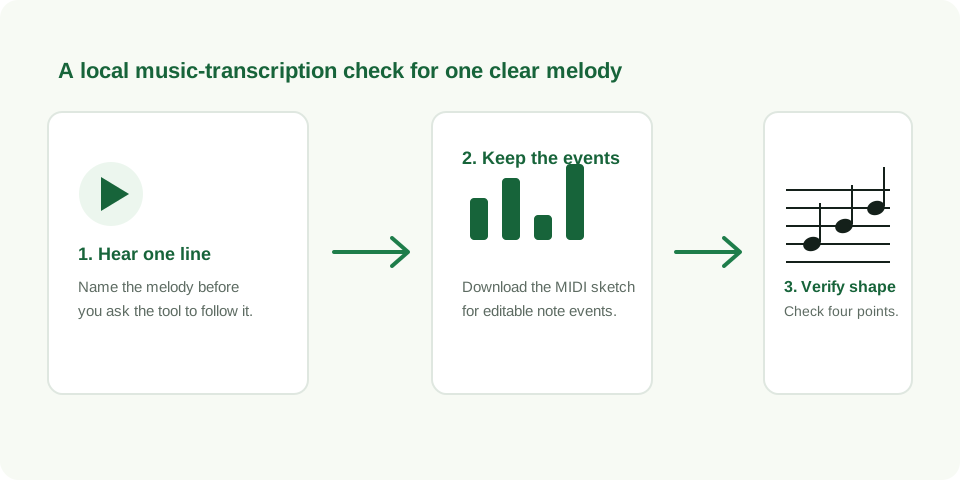
To transcribe music with MIDI Convert, start with a short audio passage where you can hear one intended melody. The browser creates editable MIDI note events and a five-line preview from the same detected sequence. Keep the result only when four reference points match the source.
Transcribe a clear melody locally
What this music transcription page does
MIDI Convert uses your local browser to estimate one dominant melody from an audio file. The output is a Standard MIDI file containing detected note events plus a five-line SVG preview of those same events. This covers a practical first task: turn a clear musical idea into a sketch you can inspect, retain, or edit.
The useful boundary is simple. This page helps when you can point to the one line you want to preserve, such as a sung hook, whistle, lead phrase, or a single-note bass idea. It does not turn every sound in a busy recording into a finished score.
Use a two-pass transcription decision
- Pass one: identify the target line. Listen to the source without looking at the output. Write a short description such as “starts low, rises twice, repeats, then pauses.” If you cannot describe one line, select a clearer excerpt.
- Pass two: check the generated sequence. Convert the unchanged file and compare the MIDI list and five-line preview against that description. Do not start editing until the broad shape is recognisable.
This decision is faster than correcting every visible note. It separates a usable sketch from an input that needs a shorter or clearer source phrase.
Verify four source points
| Point | What to compare | Useful next step |
|---|---|---|
| First note | The visual entrance matches the audible entrance | Trim silence or competing sound before the phrase if it does not |
| Direction | The sequence rises or falls where the melody does | Choose a more exposed excerpt when it follows another part |
| Repeat | A repeated tone remains at the same visual height | Replay the source to distinguish a repeat from a slide |
| Gap | An intentional pause remains a visible space | Use a cleaner recording if room sound fills the gap |
Music transcription software: choose the output you need
Music transcription software can mean several different jobs. Here, the job is a local melody sketch: an editable .mid file plus a five-line SVG check. Use MIDI when you need to change note timing or pitch. Use the SVG when you need a compact visual record of the detected line. Keep the audio source beside both files for any correction.
If you search for audio to notes or MP3 to notes, use the same workflow: select a short file with one exposed melody, generate the local MIDI sketch, and use the five-line preview to decide whether the detected notes follow the source. These are two ways of describing the same one-line verification job, so they belong here rather than on separate thin pages.
If the first pass is not recognisable, do not assume a second conversion will solve it. Make the input clearer first. A short phrase with one exposed line gives the browser a concrete signal to follow and gives you a concrete reference for judging it.
Run a repeatable local check
The downloadable clean phrase in the change MP3 to MIDI guide is 5.85 seconds long and contains eight designed tones. In the recorded browser run, it produced eight detected note events. That result verifies one known fixture's event count; it is not a general accuracy score for other music.
For your own source, run the exact same file twice and note the four reference points. A stable result keeps them in the same order. When a pass follows a different sound, improve the source audio instead of forcing the notation to fit an assumption.
Questions about transcribing music
Can I transcribe a music idea without uploading it?
Yes. This converter decodes and analyses the selected file locally in the browser. The page does not send the audio to its own server.
What format can I download after transcription?
Download a Standard MIDI file for editable note events and an SVG file for the five-line visual preview.
What if the transcription does not match the melody?
Return to the source. Use a shorter phrase with one clearer audible line, then repeat the four-point comparison before editing.