MP3 to MIDI converter: run a 30-second source check first
Use a short MP3 with one exposed melody, convert it locally, and keep the MIDI only when its broad shape follows the source. A quick source check prevents you from treating a busy song mix as a reliable melody transcription.
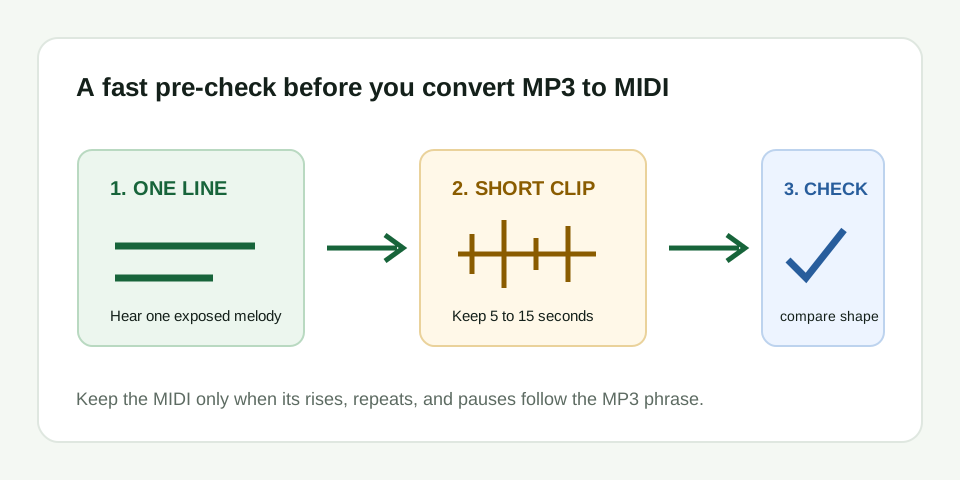
Do the source check before you upload
Spend thirty seconds describing the phrase before converting it. You should be able to say something simple about the line: for example, "up, repeat, pause, down." If you cannot identify one line because a vocal, bass, chord, and drum hit arrive together, choose another moment. File format does not turn a competing mix into a solo melody.
This is a practical boundary for this converter. It estimates one dominant pitch line and creates editable MIDI events. It does not identify all chord tones, separate stems, recognize drum parts, or build a multitrack arrangement from a full song.
Use the converter with one clear job
- Trim the MP3. Keep the excerpt to roughly 5 to 15 seconds. Remove a long intro, a backing entrance, and silence that does not help you identify the phrase.
- Convert locally. Open the converter, choose the MP3, keep Melody / solo instrument mode for a lead line, and download the
.midresult. - Inspect the result. Open the MIDI in a DAW or MIDI editor. Use a simple piano sound so pitch direction and gaps remain easy to hear.
- Make a keep-or-retry decision. Keep a result that matches the reference points. Retry when the main motion follows bass, accompaniment, or unrelated notes.
Check four reference points instead of every note
Do not start by correcting every small event in the piano roll. Mark the first note, the largest rise or fall, one intended repeated note, and one audible pause. Those four points reveal whether the converter found the line you meant to edit. A result can be a useful sketch even when one soft onset or slide needs repair later.
When all four points agree, fix only errors you can confirm by replaying the corresponding moment in the MP3. When the largest movement goes the wrong direction, editing becomes guesswork. Go back to an exposed phrase instead.
| What happens after conversion | What it usually means | What to do next |
|---|---|---|
| The MIDI has notes but no sound | MIDI events need an assigned instrument | Load a basic instrument and play the track again |
| The contour is mostly right with one bad note | A slide, quiet onset, or brief noise affected pitch detection | Correct that event after replaying the source moment |
| Many short unrelated events appear | Reverb, breaths, drums, or overlapping pitches are competing | Trim the clip shorter or use a drier, clearer source |
| The line follows bass or chords | The intended melody was not the dominant stable pitch | Choose a section where the target melody is exposed |
| No useful notes appear | The excerpt has no stable pitched line or the wrong file was selected | Confirm the file, then retry with a solo melody phrase |
What the downloaded MIDI is for
The result is not the original MP3 sound. It is a note-event sketch you can move, shorten, split, or reassign in a MIDI editor. Use your DAW to choose an instrument, then export audio only after the note contour is right. This distinction keeps the workflow honest: MP3 is the source reference; MIDI is the editable handoff.
If you need help checking the result after conversion, use the MIDI cleanup workflow. If the MIDI opens but plays silently, follow the silent MIDI diagnosis. For the reverse task, see MIDI to WAV export.
When not to use this MP3 to MIDI converter
Do not use a dense finished song when your goal is a complete arrangement. Several simultaneous pitches can cause a single-melody detector to follow whichever line is strongest from one moment to the next. It is better suited to a vocal idea, whistle, flute phrase, monophonic synth lead, bass line, or one-note-at-a-time guitar melody.