Best MP3 to MIDI converter: compare the result, not the claim
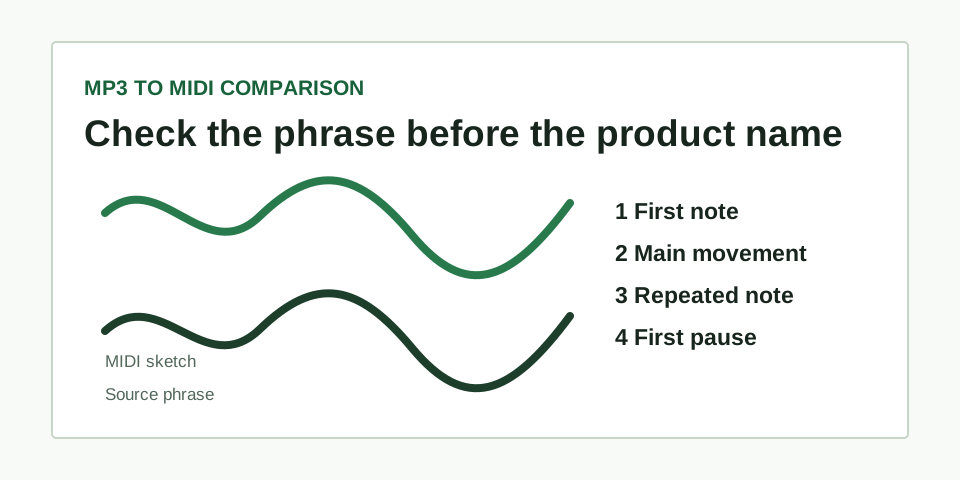
The best MP3 to MIDI converter for a phrase is the one whose editable sketch follows the phrase you can hear. Test one short, clear melody and compare the first note, main movement, repeated note, and first pause before you decide whether a result is worth editing.
There is no useful winner without a source check
“Best” can mean different things: a fast sketch for a songwriting idea, a usable bass outline, an editable vocal contour, or a detailed transcription for notation. Those jobs start with different recordings. A tool can appear excellent on a dry whistle phrase and fail on a busy chorus because the input contains several competing pitches.
Make the comparison fair before you judge any result. Use one excerpt that is roughly five to fifteen seconds long, contains one line you can hum back, and has no competing chord changes or drum hits at the exact points you need to inspect. Keep the file, trim, and playback tempo unchanged for every trial.
Use the same four checks for every result
- First note. Find where the intended phrase begins. The MIDI does not need identical velocity, but it should start on the same musical pitch area rather than an accompaniment note.
- Main movement. Mark the clearest rise or fall in the phrase. If the MIDI travels in the opposite direction, it found another line and is not a useful starting sketch.
- Repeated note. Listen for one deliberate repeat. This reveals whether the output has merged two events or invented a different rhythm.
- First pause. Compare the first audible gap. A pause is easier to judge than tiny pitch drift and helps expose an output with an incorrect rhythm grid.
Open each returned MIDI with a plain piano sound. A neutral sound makes note direction and gaps easier to hear than a heavily processed preset. Write down only what you can verify against the MP3; do not reward a result for details you cannot actually hear in the source.
Make a keep, repair, or retry decision
| Four-point result | Decision | Next move |
|---|---|---|
| All four points follow the source | Keep | Edit confirmed small errors in the MIDI editor |
| Three points agree and one onset is unclear | Repair | Replay that moment, then adjust only the confirmed event |
| Main movement follows bass, chords, or another part | Retry | Choose a more exposed phrase instead of hand-fixing the whole result |
| Several pitches begin at the same moment | Change the source | Use a solo line; this workflow does not separate a finished mix into tracks |
What this comparison can and cannot tell you
This test tells you whether a workflow found the one melody you intend to edit. It does not certify a product as best for every voice, instrument, song, or production task. It also does not test chord separation, stems, drum recognition, multitrack MIDI, or a complete arrangement. Those are different technical jobs from identifying one dominant pitch line.
For a direct local conversion of a clear melody, use the MP3 to MIDI tool. If you already have a result, the audio-to-MIDI source check explains the same four points against any audio source. When the broad contour is right but a few events need work, use the MIDI cleanup workflow.
Questions about choosing an MP3 to MIDI converter
Should I use a full song to compare tools?
No. A full mix hides the evidence you need to compare one melody result. Start with a short exposed phrase, then test harder material only after you know what the output follows on a clear source.
Does a more detailed piano roll mean the result is better?
Not by itself. Extra notes can be noise, reverb, breaths, or accompaniment. A simpler sketch that follows the four source points is more useful than a detailed sketch that follows the wrong part.
Can I export the checked MIDI as audio?
Yes, after assigning an instrument in playback software. See how to convert MIDI to MP3 for the separate rendering and listening check.