Convert a song to MIDI: isolate one phrase before conversion
To convert a song to MIDI, do not begin with the entire mix. Choose a short section with one clear melody, make an editable MIDI sketch, then compare its first note, main movement, repeated note, and first pause with the source before you edit it.
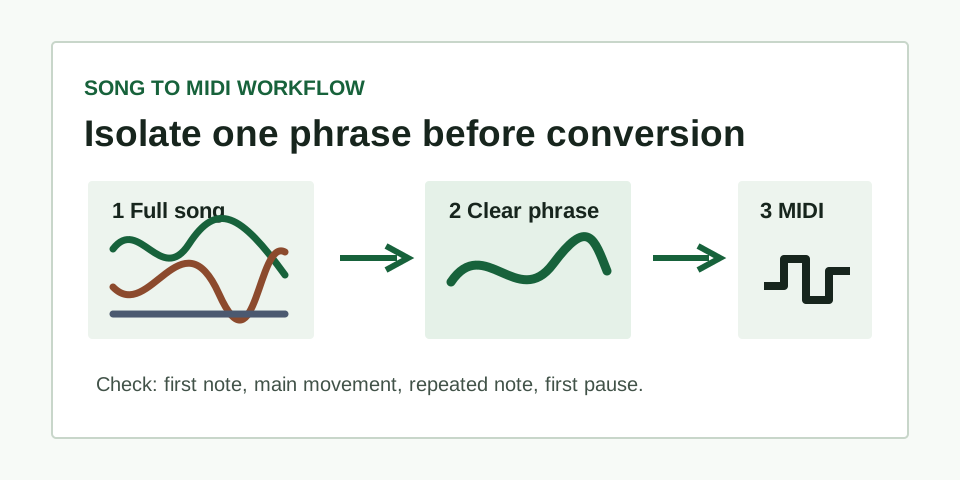
Why a complete song is not one MIDI task
A finished song can contain a vocal, bass, chord tones, drums, effects, and several instruments at once. Those parts may enter on the same beat and share pitch ranges. A single dominant-melody workflow has no honest reason to promise that it can recover every one of those parts as an independent arrangement.
That does not make song conversion useless. The practical task is smaller: capture one line you want to edit. A vocal hook, bass phrase, whistle, solo synth lead, or one-note-at-a-time guitar melody can become a workable MIDI sketch when the target line is exposed enough to follow by ear.
Choose a section that gives the converter a fair chance
- Listen for one intended line. Hum the phrase back before you trim it. If you cannot decide which note line you are following, choose another moment.
- Keep the excerpt short. Use roughly five to fifteen seconds: enough to include a beginning, a noticeable movement, and a pause, but not a long section where accompaniment changes.
- Avoid crowded entrances. Skip points where drums, new chords, effects, and the target melody begin together. A clearer later phrase is more useful than a dramatic but crowded chorus.
- Keep the original nearby. The source recording remains the evidence for every edit. MIDI is the editable handoff, not the original song audio.
Convert one phrase, then use four source checks
Open the short file in the converter and download the MIDI result. Play it through a plain piano sound in a MIDI editor so the note direction and gaps are easy to hear. Do not begin by fixing every tiny event. First decide whether it follows the line you intended.
| Reference point | What to hear in the source | What the MIDI should do |
|---|---|---|
| First note | The clear start of the target phrase | Begin near that intended pitch instead of a backing part |
| Main movement | The obvious rise or fall in the melody | Move in the same direction |
| Repeated note | One deliberate repeat in the phrase | Keep a corresponding repeat rather than merging the rhythm |
| First pause | The first audible gap between events | Leave a comparable gap before the next note |
When all four points agree, correct only the small details you can verify by replaying the source. When the largest movement follows bass, chords, or another instrument, do not hand-edit an entire arrangement from guesswork. Return to the song and select a more exposed phrase.
Keep, repair, or retry
Keep a sketch when the contour and rhythm landmarks are recognizably yours. Repair a result when one soft onset, slide, or short event is clearly wrong but the phrase is otherwise right. Retry when the main direction or rhythm follows another part. The source choice is often the correction, not a longer piano-roll editing session.
Use the MIDI cleanup workflow once you have a recognisable line. If you are converting a spoken or sung idea rather than a finished mix, see the voice to MIDI guide. For a broader input check, see how to check an audio-to-MIDI result.
Questions about converting songs to MIDI
Can this convert drums and chord progressions from a song?
No. This page describes an editable estimate of one dominant melody. It does not claim drum detection, chord separation, stem extraction, or multitrack MIDI output.
What if the downloaded MIDI has notes but sounds silent?
MIDI holds note events and needs an instrument for playback. Follow the silent MIDI check before deciding the conversion failed.
Can I turn the checked MIDI back into an audio preview?
Yes. Assign an instrument in playback software, then follow the MIDI to MP3 export workflow to render and check a listening copy.